
You do not need a logo to start building your business website.
Seriously.
A lot of new business owners get stuck trying to get everything perfect before they launch. They need the perfect logo, the perfect colors, the perfect fonts, the perfect photos…and meanwhile, the website never gets built.
If you don’t have a logo yet, don’t let that stop you. A clean text version of your business name can work perfectly well while you get your business up and running.
But once you do have a logo, whether you create it yourself or hire someone to design it, make sure you have the logo files every business owner should have to actually use it.
I can’t tell you how many times I’ve asked a business owner for their logo and received one file.
That’s it.
Sometimes it’s a square logo that doesn’t fit well in a website header. Sometimes it’s a dark logo that disappears on a dark background. Sometimes it’s a JPG with a white box around it that can’t be removed.
The logo itself may be finished, but the logo package isn’t.
The Logo Files Every Business Owner Should Have
Here are the versions you should have.
1. Your Primary Logo
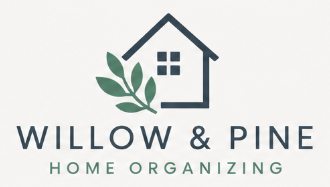
This is your main logo and probably the one you picture when you think about your brand.
It may include your business name, an icon or graphic, a tagline, or some combination of those elements.
This will probably be the version you use most often, but it shouldn’t be the only version you have.
2. A Horizontal Version

This is one I wish more business owners had.
Website headers are usually wide and relatively short. If your only logo is tall or square, it may have to be displayed so small that no one can read it, or your website header has to become much larger just to accommodate it.
A horizontal version takes the same branding and arranges it in a wider format.
Even if your primary logo is stacked or square, make sure you have a horizontal version too. Your future web designer will thank you.
3. A Stacked or Compact Version
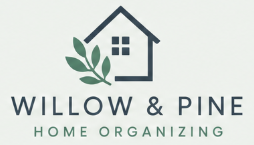
Sometimes you need the opposite.
Your horizontal logo may look great across the top of your website, but it won’t work well everywhere.
A stacked, square, or compact version gives you another option for social media profiles, graphics, printed materials, and other spaces where a long horizontal logo doesn’t fit.
4. A Black Version
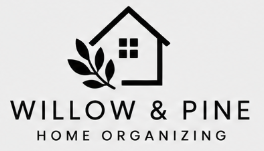
You should also have a solid black version of your logo.
There will be times when your regular brand colors don’t work with the design or background you’re using. A simple black version gives you flexibility for light backgrounds, documents, printing, and other applications where your full-color logo isn’t the best choice.
5. A White Version
The same goes for white.
An all-white logo is incredibly useful on websites because logos are often placed over dark backgrounds, brand colors, or photographs.
If the only version of your logo uses dark colors, it may completely disappear when it’s placed on a dark section of your website.
Having a white version solves that problem.
Don’t Forget the Transparent Background
Now that we’ve talked about the different versions of your logo, there’s one more thing I want you to check.
Make sure you have transparent copies of every applicable logo variation.
A transparent background allows your logo to sit naturally on top of different colors, photos, and designs without a big white box appearing around it.
This is especially important for your website.
If someone is creating your logo for you, don’t just ask for “the logo.” Ask for transparent versions too.
And if you’re creating your own logo, make sure you export and save those versions while you still have easy access to the original design.
Now Let’s Talk About File Types
You don’t need to become an expert in graphic design file formats, but you should have your logo in more than one.
Different websites, printers, apps, and platforms accept different types of files. Having several formats available now can save you a headache later.
PNG
For most business owners, PNG will probably be the file you use most often.
PNG files can have transparent backgrounds, which makes them great for websites, social media graphics, documents, presentations, and other everyday digital uses.
Ideally, you should have high-quality transparent PNG files for each of your important logo variations.
SVG
SVG is a vector format, which means your logo can be resized without becoming blurry or pixelated.
That makes it especially useful for websites and anywhere your logo may need to appear at different sizes. It also stays crisp on high-resolution screens, so you don’t need a separate “retina” version when you’re using an SVG.
Not every website or platform accepts SVG uploads, though, which is another reason you shouldn’t keep your logo in only one format.
JPG
JPG files don’t support transparent backgrounds, so they’re not usually my first choice for a website logo.
But they’re extremely common and widely accepted.
There may be times when a website, app, form, or other platform won’t accept the file type you normally use. Having a JPG version gives you another option.
Just remember that your JPG will have a background, usually white or another color chosen to work with your logo.
Original or Print-Ready Files
If you hired someone to professionally design your logo, they may also provide files such as AI, EPS, or PDF.
Keep them.
You may not be able to open some of them yourself, and that’s completely fine. A future graphic designer, web designer, sign company, T-shirt printer, or other vendor may need them.
Don’t delete a file just because you don’t recognize the extension.
Keep Everything Together
Once you have all these versions and formats, put them somewhere you can actually find them.
Create a folder called Business Logo Files, Logo Package, or Brand Assets and keep everything together.
Inside, you might have your primary, horizontal, compact, black, and white versions in the different file formats you received.
That way, the next time someone asks you for your logo, you don’t have to search through three years of emails looking for the one JPG someone sent you.
You can simply send them the appropriate file.
Don’t Let Your Logo Hold Up Your Business
If you’re just getting started and don’t have the perfect logo yet, that’s okay.
You can start your website without one. You can start telling people about your business without one. You can start getting customers without one.
Your logo can come later.
But once you do create or invest in a logo, make sure you get more than one pretty image.
Get the different layouts you’ll need. Get black and white versions. Get transparent copies. Keep your PNG, SVG, JPG, and original files.
Your logo should be ready to work wherever your business needs it.